Web Design for Accessibility

Leroy Anderson
The Typewriter (Composed 1950 – 1st performance 1953)
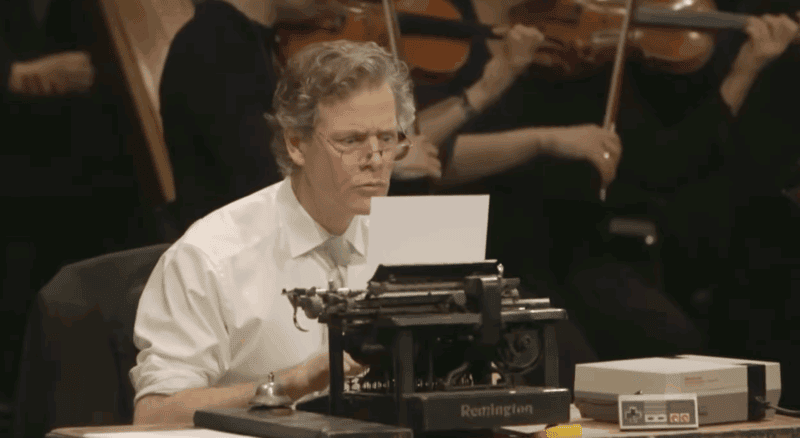
The Typewriter Performance · Image of man typing, really gets into it.

Posted on YouTube by
Aleksandr Trofimov

I’ve been setting up the site for keyboard accessibility and ran into a problem on Safari. Using the tab button on the keyboard, the sidebar was being skipped. Turns out in Safari Settings in the Advanced Tab you have to check the box “Press Tab to highlight each item on a webpage”. The navigation works fine in Firefox, Chrome and Edge by default.
Safari Settings>Advanced Tab>Check Box – “Press Tab to highlight each item on a webpage”

As I was going through sources to add to this list of links it became a rabbit hole. I’m scoring 94-100 on Google PageSpeed insights for accessibility, which is a good start for basic settings. On some of the sites I looked at though (which had paid services coincidentally) I scored pretty bad – one of them even said my site was breaking the law, WTF.

I’ve tried to list the most helpful free sites.
— David

Resources
Microsoft – Accessibility/Disability Support
Apple Accessibility Features
AbilityNet – Digital Accessibility Free Resources
ADA – Fact Sheet – Web Content and Mobile Apps

Tools
Google PageSpeed Insights
Wave – Web Accessibility Evaluation Tool
W3 -Web Accessibility Evaluation Tools List
A11Y – Checklist

axe DevTools Browser Extensions
Firefox
Chrome
Edge

Dictation

Talk, talk, talk, it’s only talk
Comments, clichés, commentary, controversy
Chatter, chit-chat, chit-chat, chit-chat
Conversation, contradiction, criticism
It’s only talk, cheap talk
— Adrian Belew

King Crimson
Elephant Talk (1981)

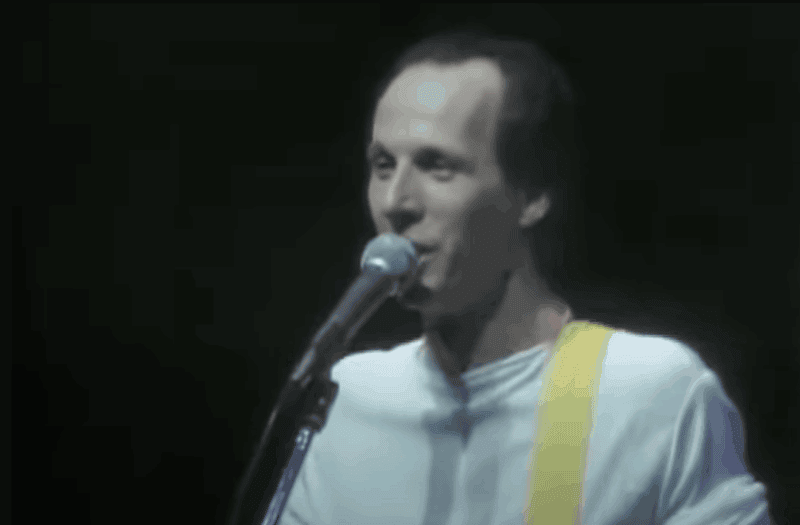
Adrian Belew singing Elephant talk

Posted on YouTube by
Bill Bruford

Spoken CommandOutput
period, dot.
comma,
question mark?
exclamation point!
new lineMoves to a new line
new paragraphCreates a new paragraph
open quote
close quote
colon:
semicolon;
align centerCenters the current paragraph
indentIndents the current paragraph
decrease indentReduces indentation of the current paragraph
dollar sign$
start spellingBegins spelling mode for dictating symbols or letters
stop listeningStops dictation
start listeningStarts dictation
press alphaPresses the ‘A’ key (using ICAO/NATO phonetic alphabet)
boldToggles bold formatting
save documentSaves the document

The table shows the basic dictation commands. Using a mic hooked up to or on your computer is pure gold. Getting off the keyboard when you can saves an incredible amount of time.

It’s pretty simple, might take a few days to get it all down and get used to it but you gotta keep it up. I tend to fall off.

Spoken CommandOutput
Period or Full stop.
Comma,
Question mark?
Exclamation point or Exclamation mark!
Apostrophe
Open quote / Close quote” “
Colon:
Semicolon;
Open parenthesis / Close parenthesis( )
Dash
Ellipsis
New lineMoves to next line
New paragraphStarts new paragraph
Caps onCapitalizes first letter of each word
Caps offStops capitalization
All capsNext word in ALL CAPS
No spaceRemoves space between words
Select [word/phrase]Selects specified word/phrase
Delete [word/phrase]Deletes specified word/phrase
Delete last wordDeletes the last word
UndoReverts last action
RedoReapplies undone action
Heart emoji❤️
Smiley face🙂
Car emoji🚗
Stop dictationStops dictation
Spoken CommandOutput
Period or Full stop.
Comma,
Question mark?
Exclamation point or Exclamation mark!
Apostrophe
Open quote / Close quote” “
Colon:
Semicolon;
Open parenthesis / Close parenthesis( )
Dash
Ellipsis
New lineMoves to next line
New paragraphStarts new paragraph
Caps onCapitalizes first letter of each word
Caps offStops capitalization
All capsNext word in ALL CAPS
No spaceRemoves space between words
Select [word/phrase]Selects specified word/phrase
Delete [word/phrase]Deletes specified word/phrase
Delete last wordDeletes the last word
UndoReverts last action
RedoReapplies undone action
Heart emoji❤️
Smiley face🙂
Car emoji🚗
Stop dictationStops dictation
Spoken CommandOutput
Period.
Comma,
Question mark?
Exclamation point!
Apostrophe
Colon:
Semicolon;
New lineMoves to next line
New paragraphStarts new paragraph
Select [word/phrase]Selects specified word/phrase
Delete [word/phrase]Deletes specified word/phrase
Delete last wordDeletes the last word
UndoReverts last action
Press [key]Simulates key press
Open [app name]Opens specified app
Pause voice typingPauses dictation
Stop dictationStops dictation
Spoken CommandOutput
Period.
Comma,
Question mark?
Exclamation point!
Apostrophe
Colon:
Semicolon;
New lineMoves to next line
New paragraphStarts new paragraph
Open [app name]Opens specified app
Go backGoes back
Scroll downScrolls page down
Scroll upScrolls page up
DeleteDeletes last word or selected text
Spoken CommandOutput
Period.
Comma,
Question mark?
Exclamation point!
Apostrophe
Open quote / Close quote” “
Colon:
Semicolon;
Open parenthesis / Close parenthesis( )
New lineMoves to next line
New paragraphStarts new paragraph
BoldApplies bold to next text
ItalicsApplies italics to next text
Select [word/phrase]Selects specified word/phrase
Delete [word/phrase]Deletes specified word/phrase
UndoReverts last action
Heart emoji❤️
Smiley face🙂
Car emoji🚗
Spoken CommandOutput
Period.
Comma,
Question mark?
Exclamation point!
Apostrophe
Open quote / Close quote” “
Colon:
Semicolon;
Open parenthesis / Close parenthesis( )
New lineInserts line break in a cell (Alt+Enter equivalent)
New cellMoves to the next cell (Tab or Enter equivalent)
Select [word/phrase]Selects specified word/phrase in cell
Delete [word/phrase]Deletes specified word/phrase
UndoReverts last action
Heart emoji❤️
Smiley face🙂
Car emoji🚗

Mac – Commands for Dictating Text
Dictate Text on iPhone
Microsoft – Voice Typing
Dictate in Microsoft 365
Voice to Text on Android
Dictation – as assistive tech

I used Grok to compile the tables and set them up as .csv files, exported them to Excel, and then pasted them in the WordPress tables.

They’re all pretty similar to each other with a couple of extra commands in Excel and Word. I needed to learn how to set up tables in WordPress, so there you go.

— David

We Have the Technology

We have the technology
Not available before
We have the technology

But thinkers and poets of the past
Oh, no
They had to leap into the dark so blindly
— David Thomas

Pere Ubu
We Have The Technology (1988)

Man pushing button, looks serious

Posted on YouTube by
Dzhakhar 96

Changes to the site (other than style):
On the Desktop, Tablet/iPad (landscape mode) will pretty much be the same.

On a phone, the Home Page is just the sidebar without the center content.
The sidebar has a list of the Recent Posts now so they can be accessed from there. Anything else will be on the Archives Page.

The main thinking behind the changes was trying to make it easier on mobile phones to just listen to the station and see what’s playing. I’ve cleaned it up too, works a lot better.

Still working on a few quirks, but it’s more or less back to normal.


— David

Hello world! V3

The Beatles
Get Back (January 30, 1969)

Beatles Performing Get Back on Rooftop

Posted on YouTube by
jose navea

Under Construction – I’ve been having issues with a few things on the site. Add-ons were conflicting with each other and I need to move away from proprietary page builders that lock you in. Their support is generally substandard.

I’ll name and blame – Elementor – For any ticket you send in they want your login info or it won’t be submitted, I had a question over the file system and in the ticket I explained that I had a backup on my computer that I was working with so I didn’t need anything done on the site. Just an answer to my question.

Their response was that they were unable to log in and asked for my info again (I put fake login info in the ticket). I’m reluctant to let anyone poke around to begin with and this was back when I was working on syncing with eBay and had customers names and addresses, I’m not giving that out.

As far as locking you in, to rebuild your site it’s a huge pain in the ass. It uses its own proprietary markup and database entries which can break the site and leave content and metadata after uninstalling. I nuked the site and am doing a fresh install.

I’m currently using the basic WordPress with Gutenberg blocks and it uses HTML markup, and can be moved to other platforms without a hitch. It can be easily converted to basic markup, plain text, rich text and so on.

— David

ETA – The Now Playing and Previously Played Archives are a priority.

When I’m Sixty-Four

The Beatles
When I’m 64 (1966)

Beatle's When I'm 64 image showing Big Ben with the moon behind it.

Posted on YouTube by
TheFreddyShow

If I’d been out till quarter to three
Would you lock the door?
Will you still need me, will you still feed me
When I’m sixty-four?
— Paul McCartney (Written at age 14)

Happy 4th of July!

Jimi Hendrix
The Star Spangled Banner – Woodstock (August 18, 1969)

Jimi Hendrix performing at Woodstock

Posted on YouTube by
Looky Lambert

The Declaration of Independence – National Archives
America’s Founding Documents – National Archives
The Declaration of Independence: What Does it Say? – National Archives
After the Declaration: What Happens Next? – Museum of the American Revolution
Declaration of Independence – Britannica
Declaration of Independence Causes and Effects – Britannica
Thomas Jefferson and the Declaration of Independence – Monticello.org
Fourth of July – Independence Day – History.com
10 Things You Probably Didn’t Know About the Fourth of July – Mental Floss

Hello World! V2

Howdy all,
I’m in the process of setting up a online store and selling off some of our music and video library.
I’m going to be stepping back and shelving the news for now. It’s just really not good for my mental health. I am deeply concerned about the direction things are going in, but I need to take a break.
I do want to use the website to focus on things that are relevant to living a happy and productive life while navigating through the current insanity.
— David

Update
August 8, 2025

Most people are not okay
But they’re taking their siestas in the sun
Got some ideas on the way it should be
But most of ’em just carrying on
— Gene Ween and Dean Ween

Ween
Happy Colored Marbles (2003)

Illustration of a man in pain riding a horse.

Posted on YouTube by
joopapoopa

Going back to when I wrote this post, I was having a pretty rough time for a long time. I tried to set the site up, I guess as a way to be productive and work through things but it all sort of fizzled out. Things have brightened up over the last couple of months. Don’t need the meds anymore at least.

To put it in perspective though – While I went through my own little personal hell, so many other people have and had so much more to deal with than I did, it’s pretty selfish to consider my problems as big, they’re not.

Right now, the following is pretty obvious but in the future this will get buried so I’m just giving some background.

In July, 2025 I was having issues with the site, performance wise it sucked and I was generally unhappy with it as it was so I nuked it and started off fresh. I kept a copy of my old posts and will gradually be bringing them back. I had used a page builder to set it up but that put the posts in a format that is difficult to add back in so I’m having to do them by hand. I have 40 something posts from back then and it’s going to take awhile. Looking at it now, it’s a good thing I wasn’t very motivated over the last year and a half. I couldn’t imagine having to redo a couple hundred or more.

I will be keeping the original content in the posts but when I can I’ll try to add to them, some were pretty bare.
— David