It’s a Big One!

I presume I will be offline for a short period later today when the updated version (PHP 8.4.27 ) is available – This won’t affect the station.

I use DreamHost:
“Our Operations team has implemented protections against the PHP remote code execution vulnerability across all our hosting platforms, including shared, VPS, DreamPress, and dedicated. These protections are active now, and we have not observed any attack traffic related to this issue to date.”

Critical PHP vulnerabilities expose vast majority of websites to potential compromise
Government agencies urged organizations to take their sites offline until they could be fixed.

The PHP project has announced a security release that fixes two critical security vulnerabilities discovered in PHP.


WordPress.org
Active Incident

Due to the critical severity of the issues, site owners are encouraged to immediately update their installations of PHP. Your web host may already be working to update PHP and put web application firewall (WAF) rules in place to mitigate the vulnerabilities, but you should still check for updates from your web host and, if necessary, update PHP as soon as possible.

Within WordPress, you can see which version of PHP your site runs under Tools > Site Health > Info > Server. Many web hosts provide this information in your web hosting administration panel too.

These vulnerabilities are not specific to WordPress and affect any server that hosts a PHP application. No WordPress update is required or planned for these issues.

Versions of PHP prior to 8.2 no longer receive security updates from the PHP project.

If your site runs a version prior to this and you manage your own web hosting, you should consider taking your server offline while you prepare to update to a newer version of PHP. This advice is being published by several national cyber security agencies. To quote the UK National Cyber Security Centre:
Where immediate remediation is not feasible, organizations should consider taking the system offline until it can be fully mitigated.


BreamHost
PHP Security Vulnerability: Protections Are In Place


October 21, 2026 10:59PM PDT

MONITORING
We have successfully completed the deployment of the official PHP security fixes across a large portion of our hosting infrastructure. For our remaining environments, our Operations Team is currently staging packages and running final stability tests to ensure a smooth transition. The mitigations we deployed earlier remains enforced, keeping your sites secure while we complete this final phase. No action is required on your end. We will provide another update once the full rollout has concluded.

October 21, 2026 1:43PM PDT
MONITORING
We’re continuing to roll out PHP’s official fix across all servers and expect it to be complete soon. Sites on PHP 8.1 and older are protected by the mitigations we deployed early, before the details were public. Security fixes for these versions, provided under our PHP Extended Support program, are being built and are expected to roll out within the next day. No action is needed on your end. We’ll keep you posted and share another update as soon as the rollout is complete.

October 21, 2026 12:55PM PDT
MONITORING
We are continuing to roll out PHP updates across all servers and PHP versions. Our systems remain closely monitored as the final updates finish deploying, and we will share our next update once the deployment is complete.

October 21, 2026 9:04AM PDT
MONITORING
We are currently rolling out PHP’s upstream fix fleet-wide. Known attack vectors and confirmed exploit paths across all PHP versions remain closed. Additionally, our Web Application Firewall (WAF) is actively blocking any incoming exploit attempts. We will continue to monitor systems closely as the final upstream fixes finish deploying. The next update will be provided once the fleet-wide deployment is fully complete.

October 21, 2026 6:46AM PDT
MONITORING
Our Operations team has implemented protections against the PHP remote code execution vulnerability across all our hosting platforms, including shared, VPS, DreamPress, and dedicated. These protections are active now, and we have not observed any attack traffic related to this issue to date. Patched PHP versions are being released today. Our Technical Operations team is ready to deploy updated PHP builds as soon as they are available. We’ll share another update once the patched builds are available.

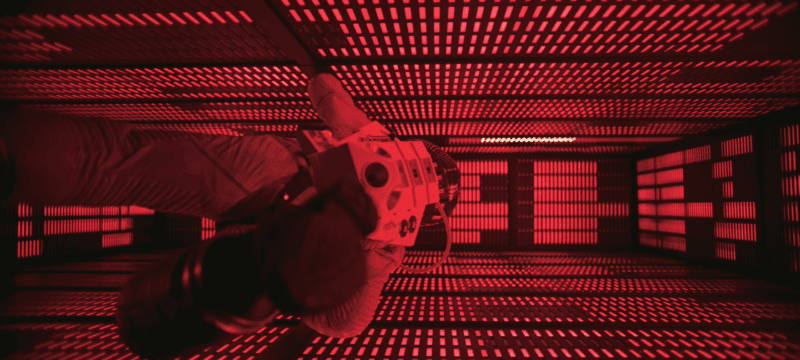
“I’m sorry Dave, I’m afraid I can’t do that”

2001: A Space Odyssey (1968) – Clip – “I’m sorry Dave, I’m afraid I can’t do that”
Director and producer: Stanley Kubrick – 2:55

Image showing HAL 9000 Computer

Posted on YouTube by
KlingonSpider

ReplayGain analyzes how loud a track sounds and tells the player how much to raise or lower it during playback. The audio file itself can remain unchanged (nondestructive), so the adjustment is reversible and does not require re-encoding. ReplayGain is a common standard, but it is not universal.

LUFS (Loudness Units relative to Full Scale) measures the average perceived loudness of audio over time. The numbers are negative because digital audio has a fixed maximum level of 0. A song at −15 LUFS is not being reduced by 15 dB; it simply measures −15 on that loudness scale. Its individual peaks may still rise close to the digital maximum, for example −1 or −2 dBTP.

Two songs can both peak near 0 dB but one might measure −9 LUFS and the other −18 LUFS. LUFS describes how loud the whole song feels, while peak measurements describe only its loudest moments.

NTR is streaming at -14 LUFS

ChatGPT-5.6 Sol.

North Texas Radio’s stream headroom is set to −0.2 dB. Over the past two weeks at this setting, the highest measured stream peak has been −0.1 dBTP. Problem peaks have been corrected in the streaming library, and ReplayGain adjusts track playback levels.

ChatGPT-5.6 Sol.

These are the specific steps AI took to analyze and make corrections

ChatGPT-5.6 Sol.

For most personal music libraries, permanently changing the audio files is unnecessary. First check whether your player supports loudness normalization, such as ReplayGain, and whether it is enabled and working. That is usually enough to make playback volume more consistent.


Important Warning Before Modifying Audio Files!
These are destructive changes. The correction process can permanently alter audio files. If a script is pointed at the wrong folder, given the wrong settings, or allowed to overwrite the originals, the damage may be difficult or impossible to reverse.

Check whether permanent file changes are necessary
Before modifying any music files, check whether the playback software supports ReplayGain or another loudness-normalization system. Determine whether that feature is enabled and working correctly. Then determine whether permanent modification of the audio files is necessary or whether playback normalization alone can achieve the desired result.

Before modifying any audio files, have/make two complete backups of the original music library. Store one backup on a different drive or at a separate location and leave it untouched. The second backup may be used as a read-only source if corrected copies are needed later. Do not modify either backup in place. Corrected files should always be written to a separate working or output location. Test the process on a small group of files first. Verify the output before running it on thousands of tracks. Keep the CSVs, manifests, and logs so every change can be traced. If MP3 files must be re-encoded, use untouched originals whenever possible rather than processing files that have already been altered or re-encoded.

The safest approach is: Original library → two verified backups → test batch → verified corrected copy → working library
Do not begin large-scale correction until the backup has been checked and can actually be restored.


Prompts for Analyzing and Correcting a Music Library
Copy the prompts below into ChatGPT one at a time. Complete each step before moving to the next. When a step creates a CSV or other report, upload that file with the next prompt.
Adjust settings such as the loudness target to fit your system..

  1. Create the scanning script
    Prompt – I have a Windows music library containing MP3 files. I want to analyze every audio file recursively without modifying anything. Create a PowerShell .ps1 script that scans the files and produces a CSV containing the full file path, integrated LUFS, peak or true-peak information, scan status and any errors. Before writing the script, tell me what software or command-line tools need to be installed. Include exact instructions for running the script in Windows PowerShell.
  2. Analyze the CSV
    Prompt – Analyze this loudness-scan CSV. My target is −14 LUFS. Identify tracks that are at least 1 dB quieter than the target. For each track calculate how much gain would be required to approach −14 LUFS. Also check whether that increase would cause its true peak to exceed −1.5 dBTP. Do not modify any files. Create a table showing current LUFS, current peak, requested gain, maximum safe gain, projected LUFS, projected peak and whether the gain needs to be reduced to prevent clipping.
  3. Find problems before changing anything
    Prompt – Examine these scan results for anything that should be reviewed manually before processing. Look for failed scans, missing measurements, unusually low or high loudness, suspicious peak values, files that cannot safely reach the target and anything else that appears abnormal. Separate these from the files that can be processed automatically.
  4. Create a preflight
    Prompt – Using the approved correction list, create a PowerShell preflight script. It must not change any audio. Verify that every source file exists, destination paths are valid, there are no duplicate or conflicting filenames, proposed gain for each file is correct and projected peak levels remain within the selected ceiling. Create a CSV manifest showing exactly what would happen. Stop and report errors rather than guessing or silently skipping files. Do not proceed to the correction stage until the preflight results have been reviewed and approved.
  5. Create the correction script
    Prompt – Now create the PowerShell script that performs the approved corrections. Apply corrections only to the tracks in the approved list. Raise each selected track toward −14 LUFS, but reduce the gain when necessary so the true peak does not exceed −1.5 dBTP. Read from the designated source files and write corrected files to a separate output location. Never modify the source or backup files in place. Preserve filenames, folder structure, metadata, tags and artwork where possible. Do not silently change the audio format, channel configuration, sample rate or encoding settings without explaining why. Log every successfully processed file, the applied gain, files whose gain was reduced because of peak headroom, and every failure. Do not process files that are not on the approved correction list. Before running the script, explain clearly whether the process requires MP3 re-encoding and what changes will be made to the audio files.

    *Important: If the files being corrected have already been modified, normalized, or re-encoded, do not process those altered MP3s again if untouched originals are available. Use the untouched backup files as the source and place the newly corrected versions into the working or streaming library. This avoids an unnecessary additional lossy MP3 encode.
  6. Verify the corrected files
    Prompt – Create a second scan of the corrected files and compare it with the original CSV. Show the original LUFS, original peak, applied gain, new LUFS, new peak and difference from the original. Flag any files that did not change as expected, exceeded the intended peak ceiling, failed processing or remain significantly below the −14 LUFS target. Confirm that the number of output files matches the number successfully processed

ChatGPT-5.6 Sol.

2001: A Space Odyssey (1968) – Clip – The Shutdown of HAL
Director and producer: Stanley Kubrick – 4:56

Dave shutting HAL 9000 Computer Down

Posted on YouTube by
Apex Clips

Radio, Live Transmission

Joy Division
Transmission – BBC2 – Something Else (September 15, 1979))

Ian Curtis

Posted on YouTube by
Joy Division

For the next few days I’m going to be running some audio tests – repeating songs and blocks from time to time. The songs/blocks have different settings/adjustments and I’ll be recording the streams on my end and then analyzing them using AI.

There are 3 areas I’m working on – Replay Gain which is basically loudness normalization. With the variety of music played, a rough estimate of the “loudness” difference between songs (soft to loud) in the streaming library is about 10-15 dB. The basic idea is to set up a baseline where you can find a middle and run from that. I’m going to be setting up 3 different baselines which is an experiment but I think it will work.

(ETA – Didn’t need to, I ended up working with -14 across the whole library)

Headroom – The current Replay Gain settings you’re hearing right now are in the middle of the three levels I’m looking at (I want to go a bit higher for most of the library), and using them I was able to cut the true peak headroom down to .5dB which is pretty tight.

Peaking/Clipping- At the current settings the headroom is pretty good for most of the songs and increasing it would be a mistake, however about 2.5% of the library is too hot (rough estimate) and is going over the headroom. Lowering the Replay Gain level on those will help out
significantly but there will still be some songs that need manual corrections and I’m working on that.

I’m finding it pretty interesting, I’ve been using AI to scan the library – this is what it looks for:

  1. Integrated loudness (LUFS)
  2. True peak level (dBTP)
  3. Peak headroom
  4. Amount of gain needed to reach the target LUFS
  5. Whether that gain would push the track above the true-peak ceiling
  6. Amount of peak reduction needed to prevent clipping
  7. Tracks that are unusually loud
  8. Tracks that are unusually quiet
  9. Overall loudness range across the library
  10. Distribution of tracks above and below the target
  11. Files that cannot be analyzed correctly
  12. Missing, damaged, or unreadable files
  13. Before-and-after values for tracks selected for correction
  14. Confirmation that corrected tracks meet the loudness and peak limits

ChatGPT-5.6 Sol.

And then when I upload the recorded blocks to AI it checks:

  1. Integrated and short-term loudness (LUFS)
  2. True peak levels (dBTP)
  3. Clipping or near-clipping
  4. Dynamic range
  5. Crest factor
  6. Song-to-song volume differences
  7. Changes to loud transients
  8. Limiter activity and peak reduction
  9. Effects on quieter passages
  10. Differences introduced by the broadcast chain and MP3 encoding

ChatGPT-5.6 Sol.

It’s all numbers – AI isn’t looking at wave forms, analyzing the actual music or anything like that. It’s just looking at numbers and measurements.
– David

Where the water tastes like wine

Canned Heat
Going up the Country (August 16, 1969) – Video shows Woodstock Festival Grounds

Man walks by school bus - Woodstock perimeter

Posted on YouTube by
Emeline🌬faraway

Talking Heads
The Big Country – Berkeley (1978)

The Talking Heads performing in Berkley

Posted on YouTube by
Peter SKG Studios

“A republic, if you can keep it.” – July 4, 2026

Vince Collins
200 (1976) – 3:22

Psychedelic image of military drum and fife players

Posted on YouTube by
U.S. National Archives

“Four score and seven years ago our fathers brought forth on this continent, a new nation conceived in liberty, and dedicated to the proposition that all men are created equal. Now we are engaged in a great civil war, testing whether that nation or any nation so conceived and so dedicated, can long endure. We are met on a great battlefield of that war. We have come to dedicate a portion of that field as a final resting place for those who here gave their lives, that that nation might live. It is altogether fitting and proper that we should do this. But, in a larger sense, we can not dedicate ~ we can not consecrate ~ we can not hallow, this ground. The brave men living and dead who struggled here, have consecrated it far above our poor power to add or detract. The world will little note, nor long remember what we say here but it can never forget what they did here. It is for us the living rather to be dedicated here to the unfinished work which they who fought here have thus far so nobly advanced. It is rather for us to be here dedicated to the great task remaining before us ~ that from these honored dead we take increased devotion to that cause for which they gave the last full measure of devotion ~ that we here highly resolve that these dead shall not have died in vain ~ that this nation under God shall have a new birth of freedom ~ and that government of the people by the people for the people shall not perish from the earth.”
– Abraham Lincoln (1863)

Declaration of Independence – Link Dump

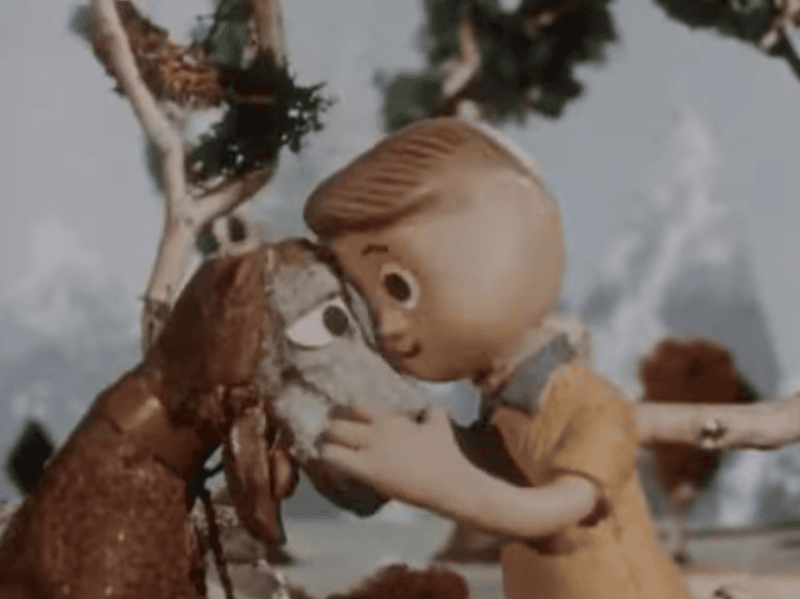
Davey and Goliath – Lost in a Cave (1960) – Animation

Davey And Goliath – Episode 1 – Lost in a Cave (1960) – 14:59
Created by Art Clokey and Ruth Clokey

Davey hugs Goliath

Posted on YouTube by
Vision Video

“For many children of the 1960s and 1970s, it’s a familiar scene: Sunday morning sunlight pours in through the window as you sprawl out on the living room floor. Some families busy themselves as they get ready for church—you may even already have on your Sunday best. From the family TV, a familiar voice bellows: “Oh, Daaavey.”
– Living Lutheran

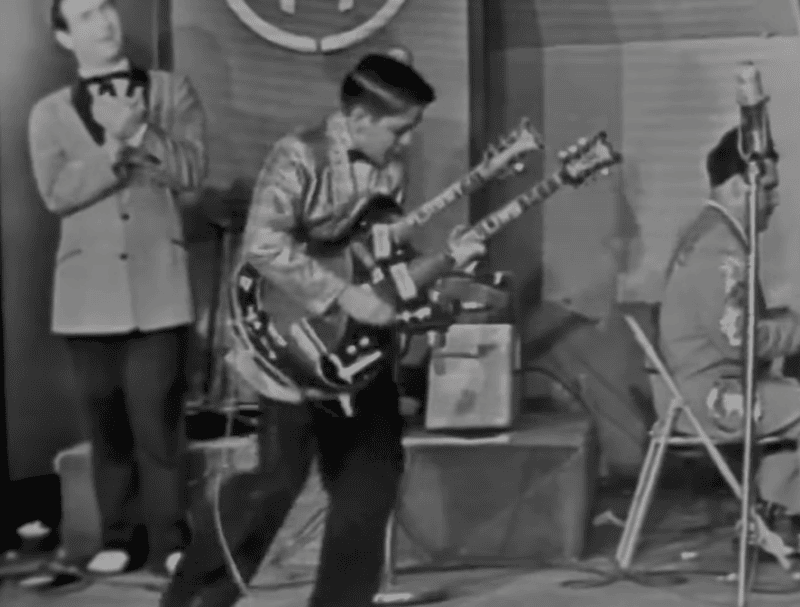
Larry Collins and Joe Maphis – Ramrod (1959) – Music Video

Larry Collins and Joe Maphis
Ramrod (1959) – Live on Town Hall Party

Larry Collins jamming out

Posted on YouTube by
Heppest of The Hep

“At first, Collins played a Gibson LG-2, but almost immediately, the kids were sent to guitar builder Paul Bigsby’s shop in Downey, where he had customized or built instruments for Travis and others on “Town Hall.” For Larry, he dressed a 3/4-size Gibson ES-140 with an inlaid armrest and pickguard with Larry’s name, much like what he’d done on Maphis’ Super 400. He also added a Bigsby pickup near the bridge. In the years that followed, Larry worked with Semie Moseley on several fancy guitars including doublenecks that became trademarks associated with him and Maphis.”
– Vintage Guitar

The Easybeats – Friday On My Mind (1967)

The Easybeats
Friday On My Mind (1967) – French TV

The Easybeats performing

Posted on YouTube by
Paulo Henrique

“He has given up the faith,” said Mrs. Vandersluys in a soft voice with a strong Dutch accent. “We never encouraged him to follow this life. As Jehovah’s Witnesses we do not believe in creature worship. We are worried. It is not right the children idolise him. “We have not seen him for over two years. We want him home all the time, to lead a normal life.”
– Mother of Dick Diamond (Dingeman Adriaan Henry van der Sluijs) – Bass Guitarist